

 Contacts
Short URLs and Click Tracking
Enabling this option will automatically replace any long URLs in the content of your messages with a unique short link and provide basic click-through stats.
Enable Short Links
To ensure the platform automatically shortens any URL you type or paste into the content of an SMS, navigate to:
- Settings > Profile & Settings
- Select the SMS Settings tab
- Enable the option to Automatically Shorten URLs
This setting will apply to all messages sent from the platform and via any API/integrations.
To track the number of clicks on your short links, you must ensure that the Shorten URLs option is also enabled on the Send SMS screen when you send your campaign.
- Navigate to, Send SMS
- Under Campaign Delivery options, ensure Shorten URLs option is enabled.
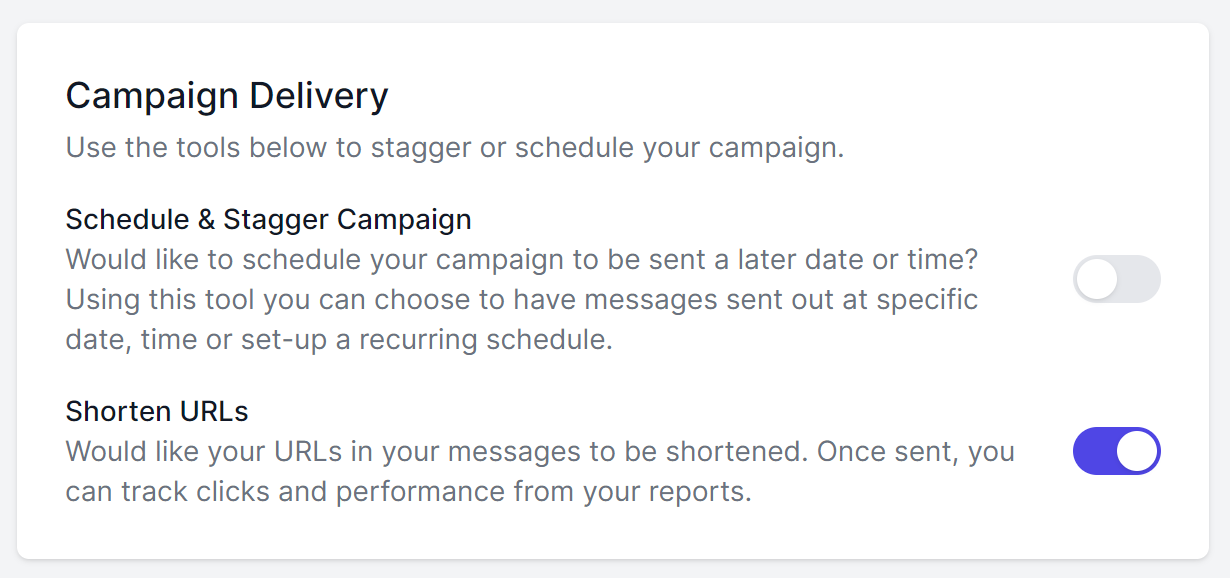
NOTE: When enabling Automatically Shorten URLs in SMS Settings, the option on the sending screen will be switched on by default.
Short Links in Reports
To view click stats, navigate to:
- Reports > Campaign
- Select the SMS campaign you sent with the short link
The full URL will appear at the bottom of the Delivery Status summary.
A tally of Link Clicks per campaign will be displayed.
